Best Apps for Japan Travel for Maps, Trains, Translation, and Booking
You can map out a lot before a trip to Japan, but once you arrive, your phone becomes the thing you reach for first. It can help you check a train route, read a menu, find your hotel, or pull up a ticket you booked earlier. With the right apps, small tasks take less effort, and the trip feels smoother from one stop to the next.
This guide covers the best apps for Japan travel. Each one solves a real task: getting on the right train, reading signs, paying without cash, or finding a place to stay tonight.
Best Apps for Maps, Trains, and Daily Movement
Transport is the first problem after the airport. You need to reach the hotel, learn station routes, and decide whether a train, a walk, or a bus is the better option. Here are the apps that help with navigation, rail planning, and daily travel across Japan.
| App | Best for | Main strength | Useful for |
| Google Maps | Broad daily navigation | Walking routes, nearby search, saved places, station-area guidance | Travelers who want one familiar map app through the whole trip |
| Japan Travel by NAVITIME | Japan-focused route planning | Route search, offline spot search, trip planning, Shinkansen and public transport support | Travelers with multi-city plans or JR Pass use |
| Mobile Transit Cards | Transit payment | Quick station entry, simple top-up, and small purchases | Travelers who want easier payment during daily transport |
Google Maps for Broad Navigation
Google Maps is usually the first thing travelers open during a trip to Japan. It covers far more than directions between stations – walking routes, nearby places, saved locations, station exits, and dozens of small decisions that come up throughout the day.
That matters in Japan, where one stop can include several exits, large underground passages, and streets that do not feel obvious right away.
Google Maps works well when you need to:
- Get from the station to the hotel.
- Check bus options.
- Decide if a ten-minute walk makes more sense than one extra train stop.
- Save hotels, attractions, restaurants, and backup spots before the trip.
This is why travelers keep it open all day. A rail app might handle the train question well, but once you step off the platform, you still need help with exits, side streets, nearby shops, and the final walk to wherever you’re going.
Japan Travel by NAVITIME for Japan-specific route planning
This is a Japan-focused travel app with more route detail than a general navigation tool usually provides. It is built for visitors who need help with train routes, trip planning, and movement across cities, not just with walking around one neighborhood.
The app includes:
- Route search.
- Maps.
- Offline spot search.
- Trip planning.
- Support for trains, Shinkansen, and public transport in Japan.
That depth is most valuable for travelers with complex itineraries. A simple city break might not need much beyond basic directions. But a trip across Tokyo, Kyoto, Osaka, and smaller stops often demands better route detail and proper planning tools. NAVITIME fits that kind of trip well, especially when rail travel is at the center of the plan.
Mobile Transit Cards on Your Phone
Mobile transit cards remove the need to buy single tickets before every ride. Instead of stopping at a machine each time, you tap your phone at the gate and keep going. This is useful for:
- Easier top-up.
- Less time at ticket machines.
- Trains, subways, and buses.
- Small purchases at convenience stores and other shops.
Suica, PASMO, ICOCA, and TOICA can all be added to Apple Wallet for transit and store payments. On Android, the Suica or PASMO app handles the same function.
Best Apps for Japan Travel for Translation, Menus, and Everyday Friction

After trains and maps, the next problem is usually simple daily stuff: a menu you cannot read, a medicine label with no English, or a shop sign that leaves you guessing. The best apps for Japan trip below help with those moments.
| App | Best for | Main strength | Useful for |
| Google Translate | Signs, menus, short questions, general text | Camera, photo, voice, and offline tools in one app | Almost every traveler |
| Payke | Product labels and packaged shopping | Barcode scan with translated product details, reviews, and rankings | Travelers who plan drugstore or souvenir shopping |
Google Translate for Signs, Menus, and Quick Conversations
Google Translate is the all-purpose tool for text right in front of you. Restaurants, pharmacies, laundromats, vending machines, convenience stores, hotel check-in desks – it covers all of them.
The real value is in how many input options you get:
- Camera translation for signs, menus, notices, and posted instructions.
- Photo translation for labels, receipts, product details, and printed forms.
- Text input for short words or phrases.
- Voice input for simple spoken questions.
- Offline translation when signal is weak or Wi-Fi is not available.
Google Translate is not perfect. Menu translations can come out awkward, and product wording can look strange. Even so, it solves the basic problem well enough in most travel situations.
Payke for Labels, Ingredients, and Tourist Shopping
Payke handles product packaging in Japanese stores. Scan a barcode, and the app returns translated product information – useful when the package itself tells you almost nothing.
This matters most in drugstores and souvenir shops. Medicine, cosmetics, snacks, supplements, and gift items are all hard to judge from the box alone. You might recognize a brand but not the product type, ingredients, or purpose. Payke fills that gap faster than reading every label line by line.
The app also includes a few extras that help during shopping:
- Translated product information after barcode scan.
- User reviews and popular product rankings.
- Coupons.
Best Apps for Food, Local Search, and Daily Decisions

Food is one of the best parts of a Japan trip – and one of the hardest to figure out on the spot. A restaurant may look good from the sidewalk, but you still want to know the menu, how people rate it, and whether you need a reservation. The Japan travel apps listed below help with that.
| App | Best for | Main strength | Useful for |
| Tabelog | Restaurant search in Japan | Deep local restaurant coverage, reviews, menu photos, bookings | Travelers who care a lot about where they eat |
| Google Maps | Fast nearby food search | Quick location checks, hours, directions, and broad place search | Travelers who want a fast answer while already out |
Tabelog for Restaurant Search and Bookings
Tabelog is one of the most useful food apps for Japan travel. It was built for restaurant search, food reviews, menus, and photos. For travelers, that means one place to check what a restaurant serves, what it looks like, and whether the stop is worth it.
What Tabelog helps with:
- Restaurant search by area or cuisine.
- Local reviews.
- Menu checks.
- Food and interior photos.
- Table booking at supported restaurants.
If you care about food, this app saves time and cuts down on bad picks. That matters especially in big cities, where too many options line every street and guessing from the outside rarely works.
Google Maps as a Food Backup
Google Maps still works well for food decisions during a Japan trip – especially when you need an answer right now. If you’re already outside, tired, and hungry, it’s often the fastest way to see what’s nearby and whether a place is open.
It is most useful for quick, practical checks such as:
- Nearby restaurants.
- Opening hours.
- Location and walking route.
- Basic photos and reviews.
That makes it good for last-minute decisions. It also helps when plans fall apart, and you need food near a station, hotel, or attraction without a long search.
Best Apps for Shinkansen, Taxis, and Travel Bookings
Reserved train seats, taxi rides, airport transfers, attraction tickets, and hotel bookings often need advance planning. The following apps to download before going to Japan handle those parts and keep confirmations easy to check on the go.
| App | Best for | Main strength | Useful for |
| smartEX | Supported Shinkansen seat reservations | Advance booking, seat map selection, and free changes before boarding | Travelers with planned bullet train routes who want seat control and early-booking options |
| GO | Taxi rides in Japan | Fast taxi booking with pickup and destination entry in the app | Late arrivals, rainy days, luggage-heavy trips, and rides where public transport is not practical |
| Klook | Attractions, tours, and travel extras | Wide range of bookable tickets, activities, and trip add-ons | Travelers who want attraction entry, day tours, or other paid bookings on their phone |
| Booking.com | Hotels and apartments | Large accommodation selection with detailed property listings and booking filters | Travelers who want to compare stays by budget, area, room type, and review score |
SmartEX for Shinkansen Reservations
smartEX is a booking app for supported Shinkansen routes. If you plan to travel between major cities, it lets you reserve seats ahead of time instead of sorting everything out at the station.
A few features matter most here. The app supports advance booking up to one year ahead, seat selection from a map, early-booking discounts on eligible fares, and free changes before boarding. The reservation is easy to find, and the seat choice during booking is straightforward.
This app is useful when train timing matters. An early departure, a holiday travel day, or a trip with luggage usually makes seat reservations more important.
Klook for tickets, Day Tours, and Add-Ons
Klook is a booking app for travel extras in Japan. It covers attraction tickets, local activities, day tours, hotel bookings, and other services people often arrange before the trip or between stops. Common uses include:
- Book attraction tickets.
- Reserve day tours.
- Arrange airport transfers.
- Check hotel options.
- Buy activity passes and travel extras.
The app is most helpful when the trip involves timed-entry tickets, prepaid activities, or transfers you want confirmed before arrival. All the details sit in one place, so pulling up confirmations mid-trip takes a few seconds.
GO for Taxi Backup in Japan
GO is a taxi app used across Japan. It fits the kind of situations where rail travel stops being practical: late at night, during heavy rain, after a long flight, or when luggage turns a short walk into a frustrating one.
You can call a taxi to your location, confirm the pickup point, and check ride details on your phone. On supported rides, payment also goes through the app – one less step at the end of the trip.
Most people won’t need GO every day. But on airport days, hotel transfers, or nights when the last train is already gone, it’s one of those apps you’re glad you installed.
Booking.com for Accommodation and Trip Management
Booking.com is one of the main travel apps for hotels, apartments, and other stays in Japan. It has a large range of properties, from budget hostels and business hotels to apartments and higher-end stays.
Search filters are a big part of why people use it. You can narrow results by price, area, review score, property type, meal options, and other booking details.
Inside each listing, the app usually shows:
- Room types.
- Photos.
- Guest ratings.
- Location details.
- Check-in and check-out information.
- Cancellation terms.
- Available amenities.
That makes it easier to judge a property without opening ten tabs and comparing basic details by hand.
How to Choose the Right Japan Travel Apps for Your Trip
Not every trip needs the same set of apps. A weekend in one city calls for something different than two weeks on trains across Japan. It depends on how often you move, how much you book ahead, and what actually takes up your time once you arrive.
Best App Setup for a Short City Break
A few days in Tokyo, Osaka, or Kyoto do not need many apps. A map, a translation tool, one booking app, and a transit payment option are usually enough.
Daily movement on this kind of trip is simple – short train rides, walking between neighborhoods, back to the same hotel each night. Broad tools cover it well.
| Need | Good app choice |
| Maps and directions | Google Maps |
| Translation | Google Translate |
| Hotel or activity booking | Booking.com or Klook |
| Transit payment | Mobile Suica, PASMO, ICOCA, or TOICA |
Best App Setup for a Multi-City Rail Trip
Several cities in one trip means more to track – train times, seat reservations, hotel check-ins, ticket access. Route planning becomes a bigger part of each day, especially with long rail transfers.
| Need | Good app choice |
| Rail and route planning | Japan Travel by NAVITIME |
| Shinkansen booking | smartEX |
| Hotel management | Booking.com |
| Local navigation | Google Maps |
| Translation | Google Translate |
Best App Setup for a Food-First or Shopping-First Trip
When the day is planned around restaurants, cafés, and drugstores, food search and label help matter more than transport tools. Menu translation is useful at smaller local places. Label scanning helps in drugstores and souvenir shops.
| Need | Good app choice |
| Restaurant search | Tabelog |
| Menus and signs | Google Translate |
| Product labels | Payke |
| Nearby places and saved spots | Google Maps |
Best app setup for first-time travelers or families
A first trip to Japan, or any trip with kids, goes better with fewer apps. Broad tools, saved addresses, and easy access to bookings are enough for most days. A taxi app is worth having for late arrivals, rain, or heavy luggage.
| Need | Good app choice |
| Navigation and saved places | Google Maps |
| Translation | Google Translate |
| Hotel or ticket access | Booking.com or Klook |
| Transit payment | Mobile Suica, PASMO, ICOCA, or TOICA |
| Taxi backup | GO |
What To Set Up Before You Fly to Japan
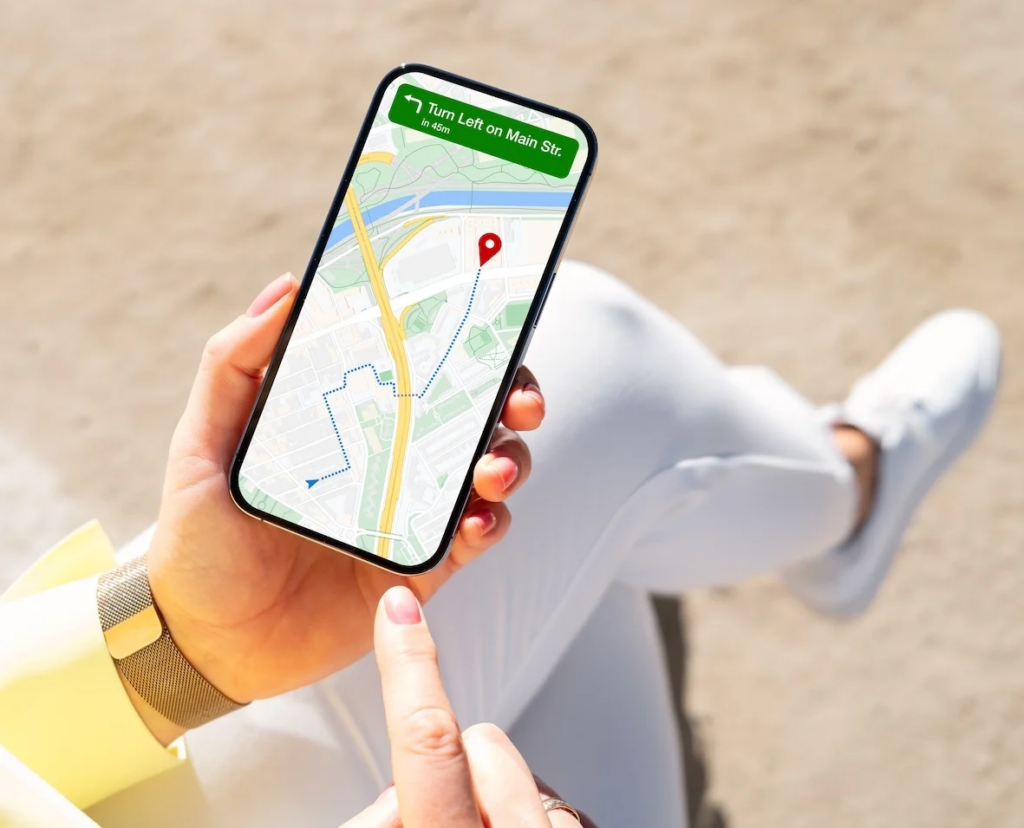
A Japan trip goes better when the basic phone setup is done before departure. The airport is a bad place for first-time app setup. Wi-Fi can be crowded, mobile data may not work yet, and small setup steps take longer when you are tired after a flight.
Some must-have apps for Japan travel need more than a quick download. Email codes, card verification, permission access, language changes – all of it is easier to handle from your couch than from an airport terminal.
Download the core apps before departure
Download the main travel apps a day or two before your flight. Open each one. If an app requires an account, finish registration at home. If it asks for a payment card or location access, do that too.
The first hours after landing are exactly when these apps matter most. You might need directions from the airport, a hotel address, a train route, or a way to read a sign in Japanese. A few apps that actually work on arrival beat a long list of untested downloads.
| App type | Why you may need it early |
| Maps and train planning | Route help from the airport to the hotel |
| Translation | Signs, menus, station notices, and basic questions |
| Payment or transit wallet | Faster station entry and easier small purchases |
| Hotel or booking app | Quick access to reservation details |
| Taxi app | Backup transport after arrival |
Save the basics you may need offline
Don’t assume every app will load when you need it. A weak signal or a failed login can leave you stuck without basic information.
Keep the essentials on your phone where no connection is required: hotel address, booking confirmations, train ticket screenshots, downloaded map areas, emergency contacts. A simple note with your hotel name and address written in Japanese can be surprisingly helpful – you can show it at a station counter or hand your phone to a taxi driver.
Check payment, language, and notification settings
A few quick setting changes can prevent common headaches. If your phone supports a transit or payment card through a wallet app, link it before departure.
Turn on notifications for booking and ticket apps – those alerts often include check-in updates, entry times, or schedule reminders. Map and taxi apps need location permission enabled to function properly, so grant that access while you’re still at home.
Pre-Departure Checklist
- Download Google Maps and save offline maps for your destination cities
- Install Google Translate and download the Japanese language pack for offline use
- Set up a mobile transit card (Suica, PASMO, ICOCA, or TOICA) in your phone wallet
- Create accounts and log in to booking apps (Booking.com, Klook, or others you plan to use)
- Save the hotel name and address in Japanese in a phone note
- Screenshot all booking confirmations and train tickets
- Enable location permissions for map and taxi apps
- Turn on notifications for booking and ticket apps
- Link a payment card to your phone wallet if supported
- Save emergency contact numbers in a quick-access note
Final Words About the Best Apps for Japan Travel
Japan is easy to travel around once the basics are in place. Transport runs on time, cities are walkable, and most problems are small ones – a sign you cannot read, a menu with no English, a train route that needs a second look.
The apps in this guide cover those moments. A map app, a translation tool, a transit card, and one or two booking apps will cover most days. If you plan to ride the Shinkansen, eat at local restaurants, or shop in drugstores, a more specific app can fill that gap.The main thing is to have the core apps for visiting Japan ready before you land. The airport is not the place to set up a transit card or confirm a hotel booking for the first time. A little preparation at home means the first hours in Japan are spent on the trip, not on your phone settings.